 @Voice Aloud Reader
What ebook listeners usually need
Many ebook apps can display EPUB, but they feel weak once the goal becomes sustained listening through a full book with chapter progression and resume.
EPUB Book Playback
Open an EPUB in @Voice and hear it read aloud. Use the chapter and playback controls to find your place and set the pace.
Trusted by 10M+ Google Play downloads · 4.3★ on Google Play
Use the direct APK on de-Googled, GrapheneOS, emulator, or Play-free devices. The universal APK is the safest default build.
Many ebook apps can display EPUB, but they feel weak once the goal becomes sustained listening through a full book with chapter progression and resume.
@Voice supports EPUB and AZW3 books with chapter-friendly playback, bookmarking, history, and voice tools that fit longer books instead of short snippets.
EPUB works best here when you want an audiobook-like rhythm from text you already own instead of a plain visual ebook reader with a weak speech option.
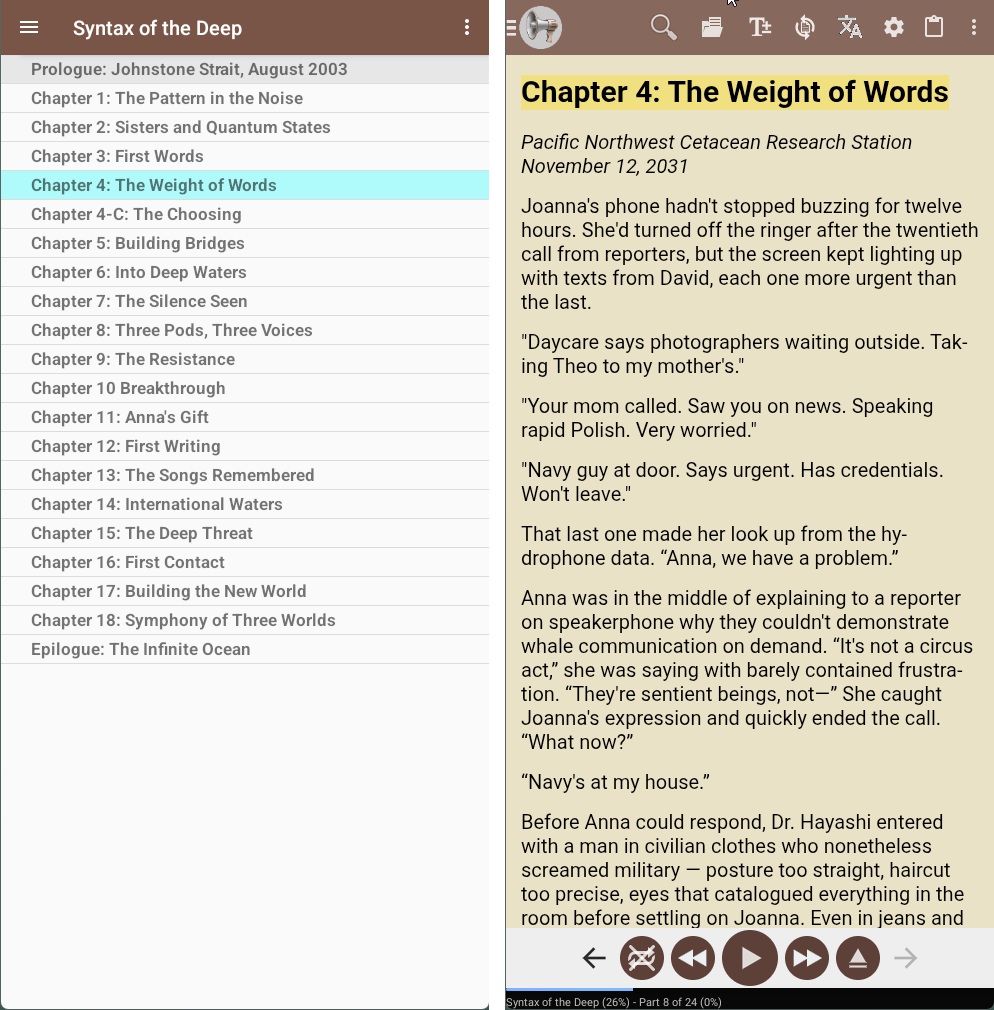
This page focuses on chapter-based ebook listening, saved book progress, and long-form playback rather than generic file opening.
Saved position, reliable chapter progression, bookmarks, and flexible voice control matter more than decorative page effects.
Yes. Long-form resume behavior is part of the EPUB listening workflow.
Recent @Voice releases added support for Readium LCP-protected EPUB and PDF files when the correct passphrase is available.
Yes. Use the direct APK from Hyperionics.
If this is the workflow you were looking for, install @Voice Aloud Reader and test it with your own content in a minute or two.