Use the direct APK on de-Googled, GrapheneOS, emulator, or Play-free devices. The universal APK is the safest default build.
Why fiction listeners look for dialog voices
Generic text to speech reads all lines with the same voice. In dialog-heavy fiction, that can make conversations blur together.
How @Voice separates narration and speech
@Voice offers experimental dialog voice changes, automatic alternating voices, reusable voice groups, and editing tools to give narration and dialog different sound identities.
What @Voice already supports: The live feature set includes dialog-detection helpers, named voice groups, per-role voice selection, voice testing, and voice-scripted EPUB support for advanced users.
Setting up dialog voices for a book
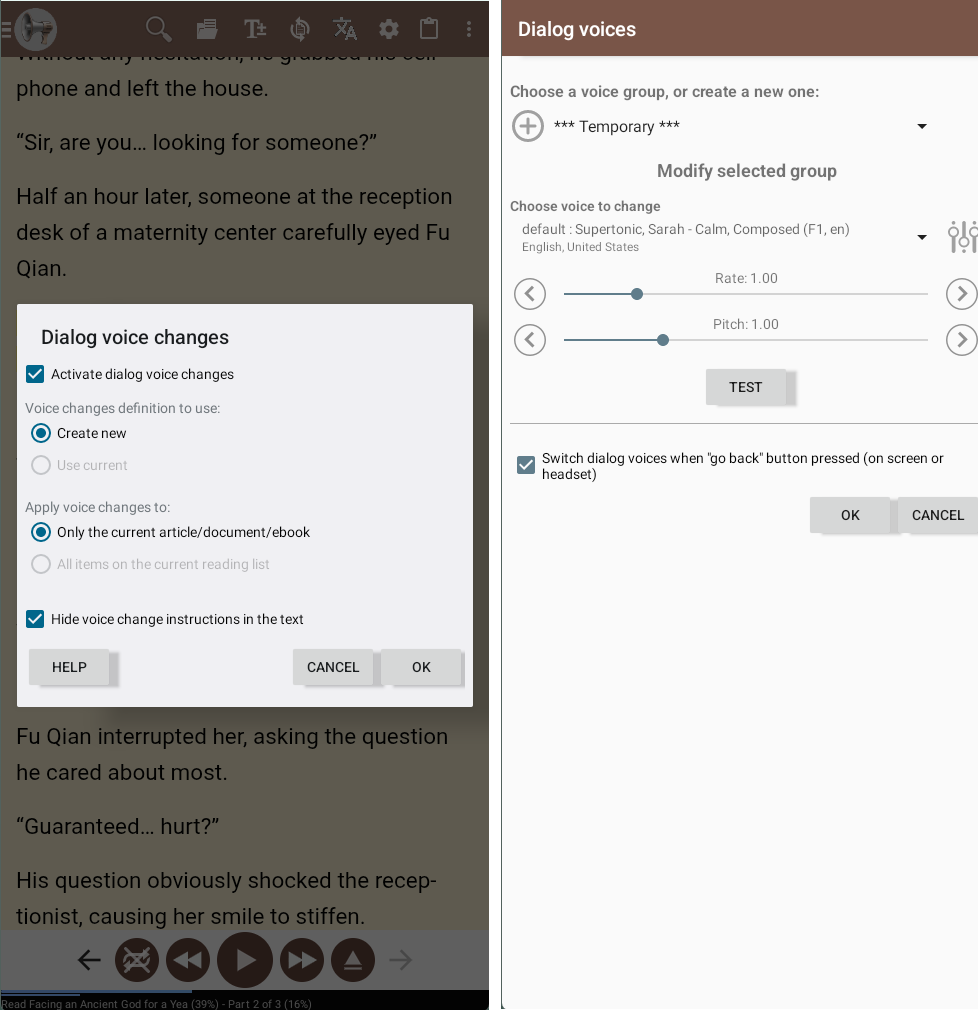
Open the book in @Voice and turn on the dialog voice changes feature for the current item or list.
Pick the narrator and dialog voices you want, then test them in the built-in editor.
Listen and adjust if needed, including quick swapping when a dialog assignment guessed wrong.
When automatic dialog voices help most
The feature is most valuable in dialog-heavy fiction where one plain voice makes character exchanges blur together.
Use a calmer narrator voice with more expressive dialog voices when you want clearer scene changes by ear.
Named voice groups help when you listen to several books and do not want to rebuild the same cast setup every time.
If the automatic guess is close but imperfect, refine it instead of abandoning the feature altogether.
Why this can make novels easier to follow
Makes fiction easier to follow by ear.
Useful for listeners who want more audiobook-like separation without a real cast recording.
Supports reusable voice groups so setup does not start from scratch every time.
Pairs naturally with the rest of @Voice's long-form ebook workflow.
See it in @Voice
Example @Voice Aloud Reader screen for Dialog Voices for Books.Click the screenshot to enlarge it.
Common questions about Dialog Voices for Books
Does @Voice support manual control if automatic dialog detection is not enough?
Yes. Manual voice annotations and direct editing options are available for more controlled results.
Can I choose different voices for narrator and dialog?
Yes. That is one of the core reasons the feature exists.
What if automatic dialog detection guesses wrong?
You can edit the result and use manual controls for the sections where you want more precision.
Do dialog voice settings work across more than one book?
Reusable voice groups make it easier to carry a preferred setup from one title to another.
Can I install it without Google Play?
Yes. Use the direct APK from Hyperionics.
Install @Voice and try it now
If this is the workflow you were looking for, install @Voice Aloud Reader and test it with your own content in a minute or two.
 @Voice Aloud Reader