 @Voice Aloud Reader
Why browser read-aloud often sounds bad
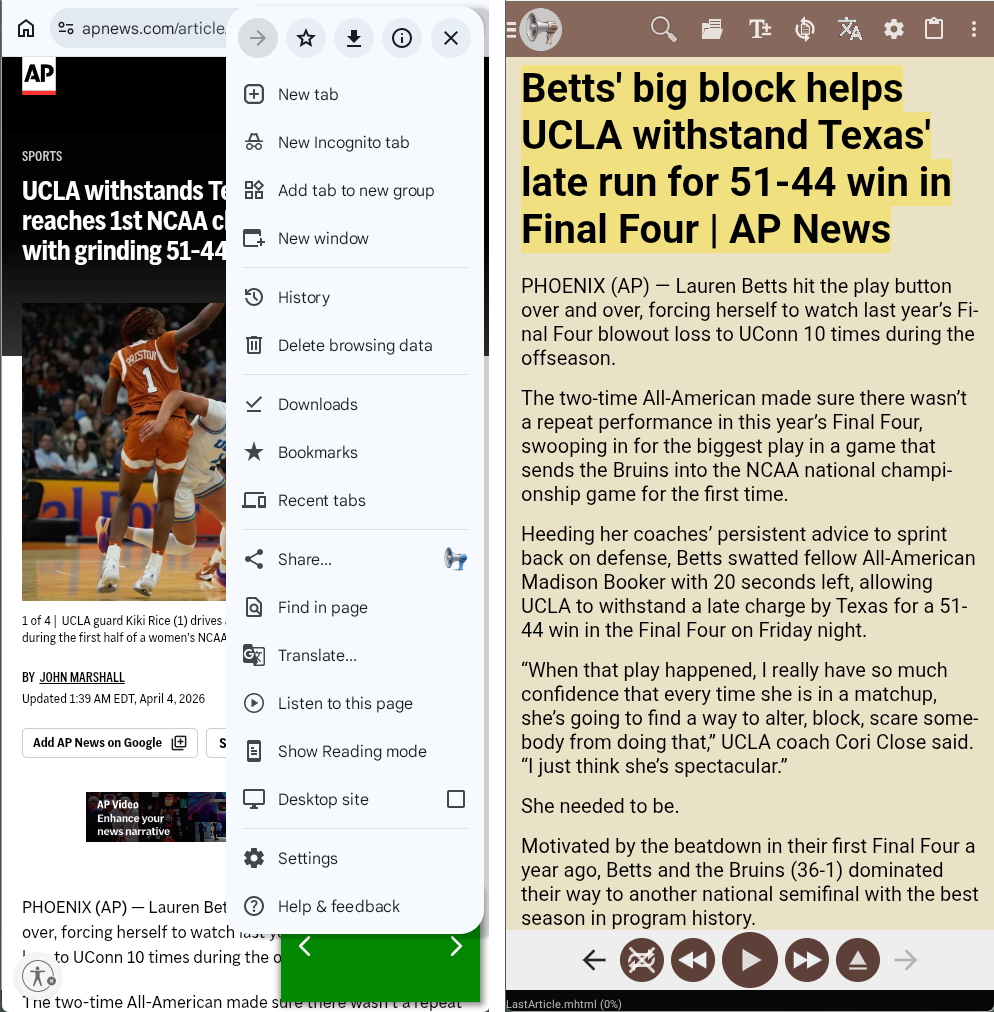
Normal browser read-aloud tools often include menus, navigation labels, cookie notices, and other noise. That makes long listening frustrating, especially on busy news and blog sites.
Web Page Reader
Share a web page to @Voice from your Android browser. It extracts the article text so you can listen without the site's menus getting in the way.
Trusted by 10M+ Google Play downloads · 4.3★ on Google Play
Use the direct APK on de-Googled, GrapheneOS, emulator, or Play-free devices. The universal APK is the safest default build.
Normal browser read-aloud tools often include menus, navigation labels, cookie notices, and other noise. That makes long listening frustrating, especially on busy news and blog sites.
@Voice can open a URL directly or receive a page from Share, then extract the main article content into a cleaner reading view. You can also switch to fuller page loading when you want extra sections included.
The cleaner article view is usually the right starting point, but a few page types work better with the fuller extraction path.
No. You can send a page from other apps through Share, paste a URL, or use the desktop connector to send pages from Chrome, Edge, Brave, or Firefox.
It tries to extract the main readable content so speech starts closer to the article text instead of page chrome.
In many cases yes, because @Voice includes support for multi-part article fetching and listen-later workflows.
You can try the fuller page mode or use the desktop connector to send a better cleaned version from your browser.
Yes. Use the direct APK from Hyperionics.
If this is the workflow you were looking for, install @Voice Aloud Reader and test it with your own content in a minute or two.