Use the direct APK on de-Googled, GrapheneOS, emulator, or Play-free devices. The universal APK is the safest default build.
Why desktop-to-phone handoff usually breaks
Copying URLs into notes or messaging them to yourself is clumsy, and it does not preserve a clean article workflow. People want one-click transfer from browser to phone.
How @Voice Connector keeps the page and the reading flow together
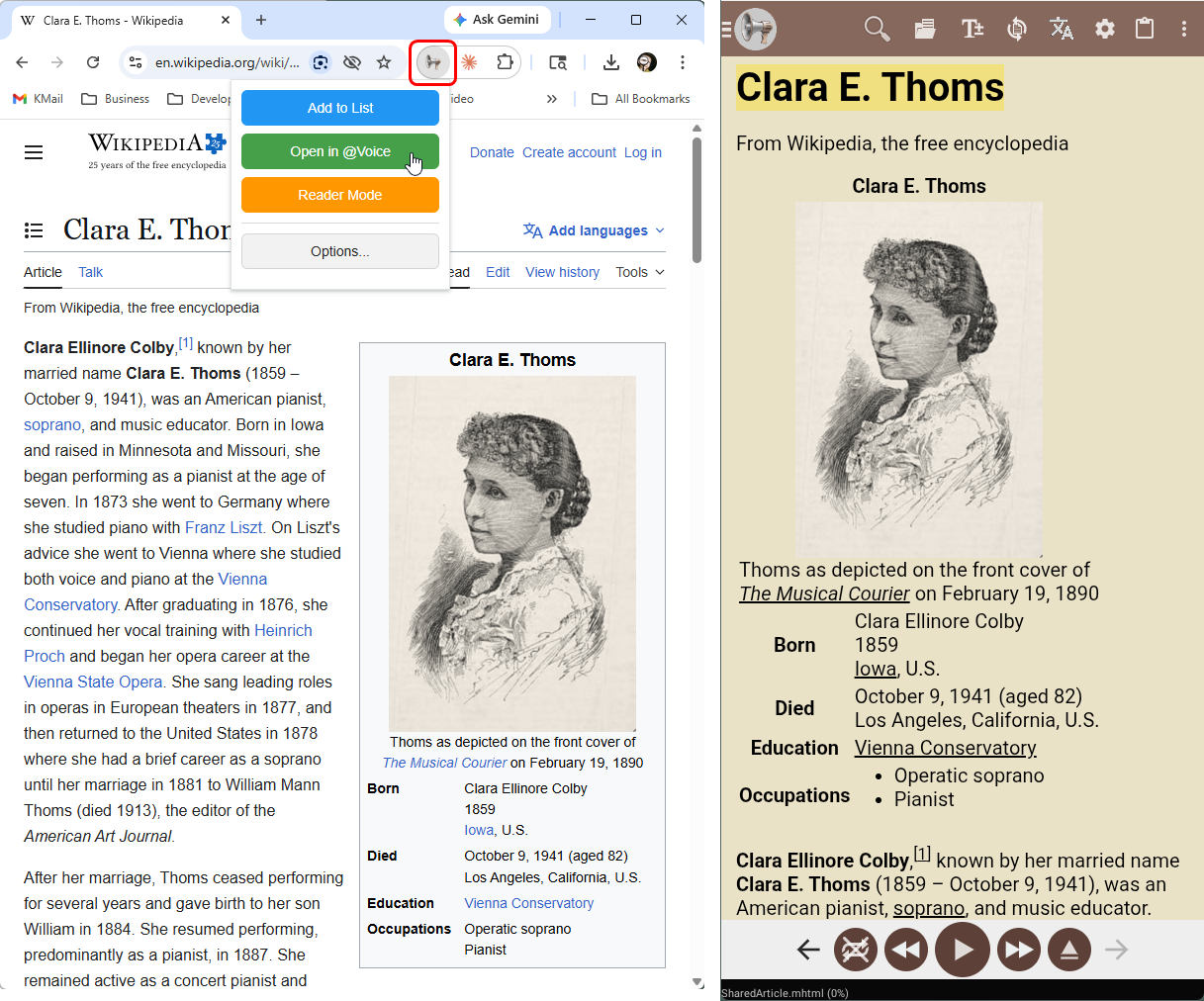
@Voice Connector for desktop browsers can send the current page or selected text into @Voice, either for immediate opening or for addition to a reading list.
What @Voice already supports: @Voice provides browser extensions for Chrome-family browsers and Firefox, Reader Mode capture, Dropbox-based handoff, and instant-open or queue behavior on the phone.
Sending pages from desktop in a few seconds
Install the @Voice Connector extension in your desktop browser and link it through the same Dropbox account used by @Voice.
Choose Open in @Voice for near-immediate handoff, or Add to List for later.
Pick up the page on your phone in a cleaned reading view ready for listening.
Best use cases for the browser extension
The connector matters most when you discover content on desktop but want to listen on a walk, in the car, or later away from the keyboard.
Send the full page when you want a clean phone-side reading item instead of a pile of tabs to revisit later.
Send just a selection when you only care about one section of a long page or research note.
Use it for serial fiction, research, and long articles that start on desktop but are better consumed by ear later.
Why it beats emailing links to yourself
Excellent for desk-to-commute workflows.
Works with Chrome, Edge, Brave, and Firefox.
Can upload a cleaner Reader Mode version instead of the full original page.
Fits naturally into @Voice reading lists and sync features.
See it in @Voice
Example @Voice Aloud Reader screen for Send Pages from Desktop to Phone.Click the screenshot to enlarge it.
Common questions about Send Pages from Desktop to Phone
Which browsers are supported?
Current @Voice Connector support covers Chrome-family browsers such as Chrome, Edge, and Brave, plus Firefox.
Which browsers does @Voice Connector support?
The documented connector supports Chrome-based browsers and Firefox.
Can I send only selected text instead of the whole page?
Yes. That is one of the practical use cases for the desktop extension.
Does the connector save the cleaned reader version or just the raw URL?
The workflow is designed around sending useful reading material, not merely a bookmark to fix later on the phone.
Can I install it without Google Play?
Yes. Use the direct APK from Hyperionics.
Install @Voice and try it now
If this is the workflow you were looking for, install @Voice Aloud Reader and test it with your own content in a minute or two.
 @Voice Aloud Reader