Use the direct APK on de-Googled, GrapheneOS, emulator, or Play-free devices. The universal APK is the safest default build.
What people usually need from Text Reader for Android
Searchers often start with a broad query before they know whether the real need is web articles, local documents, ebooks, or copied text. The friction comes from juggling separate apps for each of those jobs.
How @Voice handles text reader for android
@Voice acts as the general-purpose layer: article cleanup, pasted text, file opening, queues, bookmarks, history, and playback control in one Android app.
What @Voice already supports: Current @Voice features cover web pages, copied text, local documents, EPUB and AZW3 books, FB2 files, reading lists, history, recording, translation, cloud voices, and headset control.
How to set up text reader for android in @Voice
Start with the source you use most: a web page, pasted text, or a local file.
Tune the voice, speed, and playback behavior once, then reuse that setup across different content types.
Open the more specific @Voice guide next if your main use case turns out to be web pages, PDFs, documents, or ebooks.
Best first-use settings to check
Most people get better results from @Voice after a few quick setup choices instead of leaving every default untouched.
Pick a voice you can tolerate for long sessions before you judge the app by one short test.
Set sentence or word highlighting so it is easy to reconnect when you glance back at the screen.
Turn on history and list-based workflows early if you move between articles, files, and copied text often.
When @Voice is a strong fit for text reader for android
Useful when your reading sources change constantly instead of staying in one format.
Works as a broad entry point before you commit to a narrower web, PDF, or ebook workflow.
Keeps bookmarks, history, and queues in one place across content types.
Supports both local voices and optional cloud voices when speech quality matters.
See it in @Voice
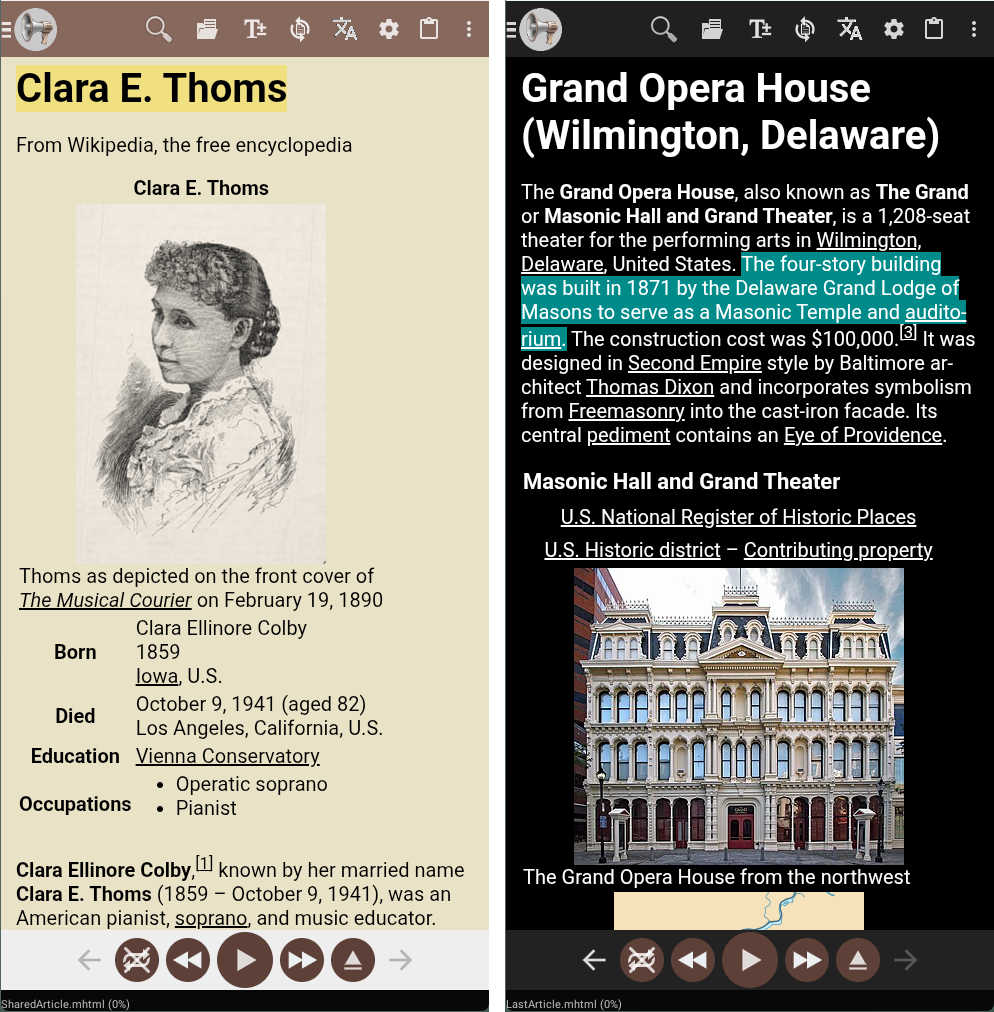
Example @Voice Aloud Reader screen for Text Reader for Android.Click the screenshot to enlarge it.
Common questions about Text Reader for Android
Which @Voice guide should I read next?
If your main job is web articles, PDFs, or local documents, use the more specific feature pages for those workflows.
What formats can @Voice read aloud?
It is built for web pages, shared text, copied text, PDFs, EPUB and AZW3 ebooks, FB2 files, HTML, and other practical document workflows.
Can I switch between web pages, PDFs, and pasted text in one history?
Yes. @Voice keeps recent items together so you can move between different reading sources without juggling separate apps.
Does @Voice work offline?
For local files and pasted text, yes. Web articles still need internet access because the app has to fetch the page content first.
Can I install it without Google Play?
Yes. Hyperionics provides a direct APK download for Play-free and de-Googled Android devices.
Install @Voice and try it now
If this is the workflow you were looking for, install @Voice Aloud Reader and test it with your own content in a minute or two.
 @Voice Aloud Reader