Use the direct APK on de-Googled, GrapheneOS, emulator, or Play-free devices. The universal APK is the safest default build.
What 'read documents aloud' usually means in real life
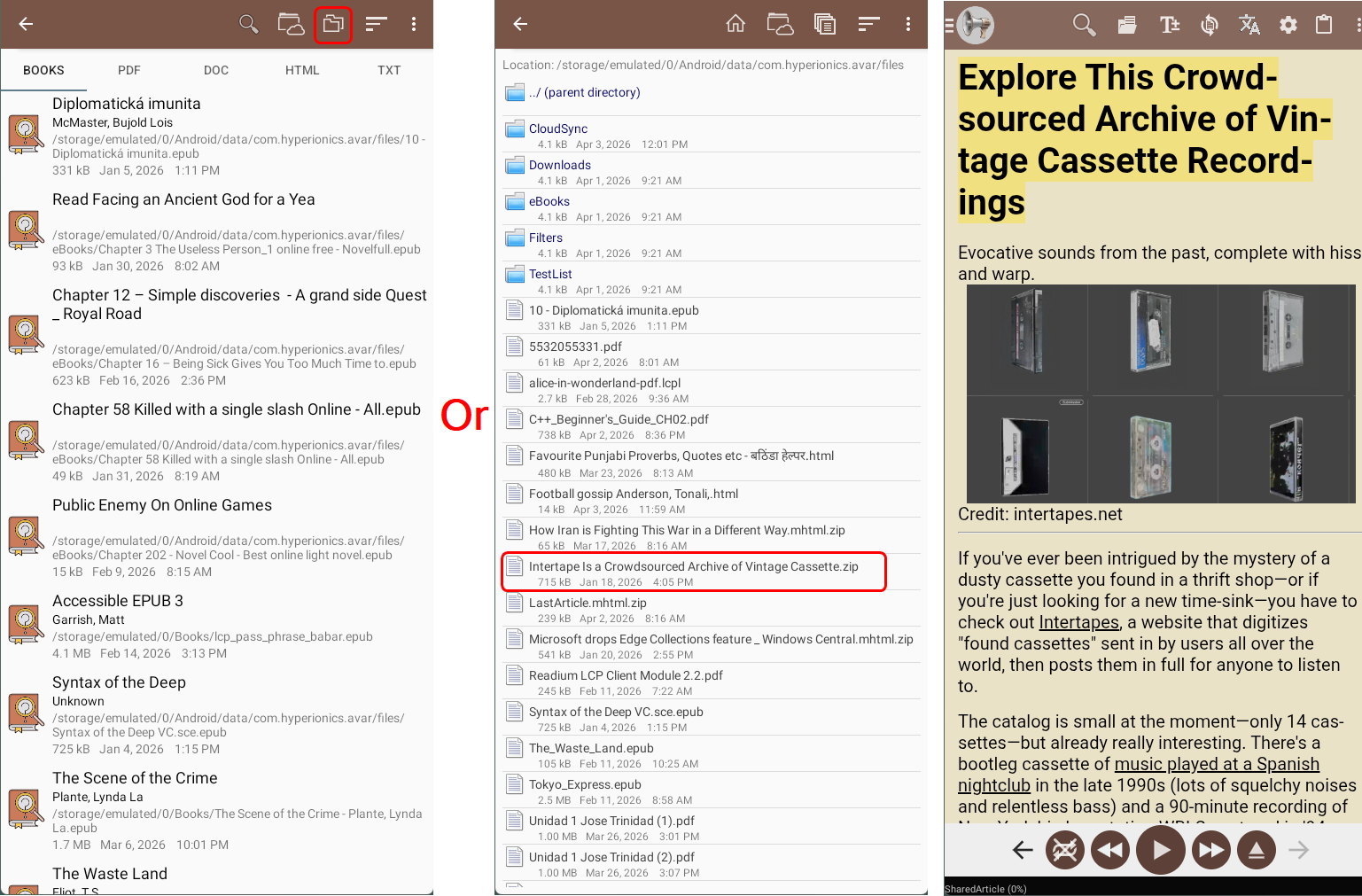
Real document workflows begin in file pickers, Open With menus, email attachments, and cloud providers. Many read-aloud tools feel strongest on web pages but weaker once the content lives as a file.
How @Voice keeps mixed document workflows simple
@Voice gives you a file-oriented reading environment for supported documents, with consistent playback, bookmarks, recent history, and support for Android storage and document-provider flows.
What @Voice already supports: The live feature set covers PDFs, EPUB and AZW3 ebooks, FB2, plain text, HTML, copied text, cloud-backed document providers, and broader reading-list workflows.
Opening files from storage, cloud, or another app
Open the file from Downloads, a document provider, email, or another app's Open With flow.
Let @Voice convert the document into a reading view optimized for listening.
Use bookmarks, playback speed, and history to work through longer file-based reading sessions.
A good workflow for study and work files
The common pattern is not one perfect format. It is a stack of reports, drafts, PDFs, exported web pages, and note files that need to be heard without friction.
Use Open With or the Android file picker when the file already lives on the device or in a provider app.
Keep recent items available in history so reference documents are easy to reopen later.
Move into bookmarks and lists when a document becomes part of a longer project or study routine.
Why it works better than a format-specific reader
Focused on local and provider-based files rather than article capture from the web.
Useful for reports, manuals, attachments, exported pages, and mixed study documents.
Works across supported file types without forcing you into separate file-specific readers.
Makes reopened files easier to find with recent history and consistent playback controls.
See it in @Voice
Example @Voice Aloud Reader screen for Read Documents Aloud.Click the screenshot to enlarge it.
Common questions about Read Documents Aloud
Does it work with Open With and Android document providers?
Yes. This guide is specifically about opening supported files from storage, provider apps, and other Android apps.
Which document types work best in @Voice?
It is especially practical for PDFs, HTML, plain text, EPUB and AZW3 books, FB2 files, and shared text workflows.
Can I open files from cloud or document providers?
Yes. Current app versions include better handling for cloud-backed and document-provider content.
Does @Voice keep recent files and progress?
Yes. History and long-form resume behavior are part of the app's document workflow.
Can I install it without Google Play?
Yes. Use the direct APK from Hyperionics.
Install @Voice and try it now
If this is the workflow you were looking for, install @Voice Aloud Reader and test it with your own content in a minute or two.
 @Voice Aloud Reader