Why Android Auto reading needs a companion approach
Android Auto is a constrained platform, and Google's policies are not friendly to every text-to-speech use case. That makes searchers wonder whether there is any workable solution at all.
In-Car Control
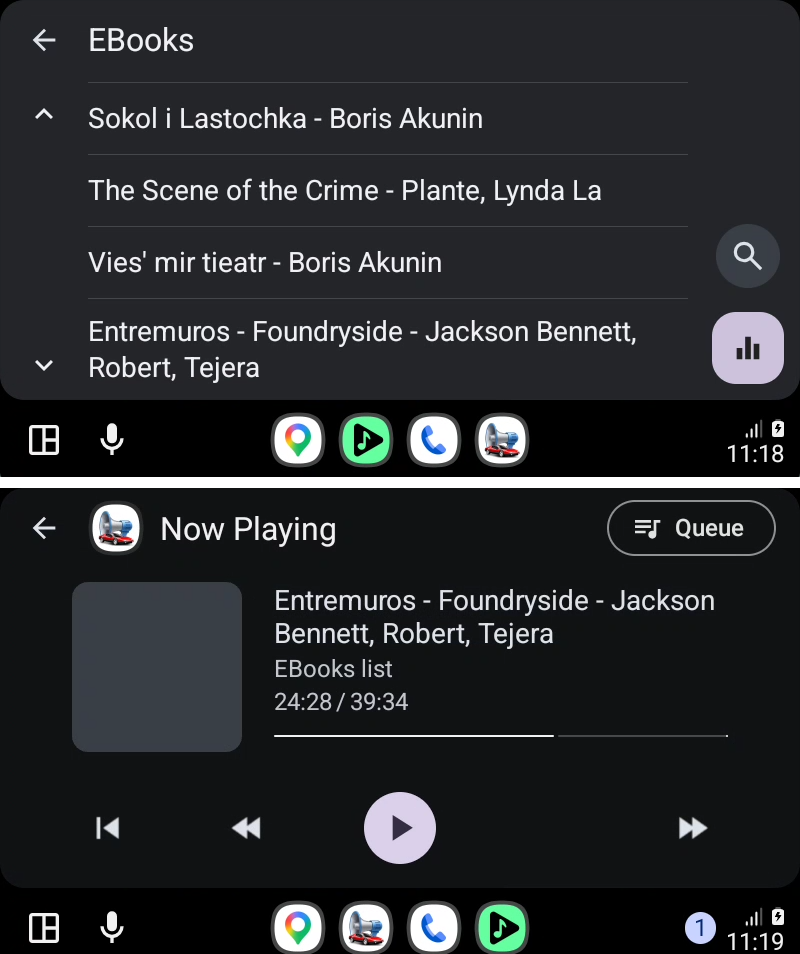
The main @Voice app focuses on reading and playback. For in-car control, there is also a companion called @Voice Auto Plugin, designed so you can choose items and control playback from Android Auto.
Trusted by 10M+ Google Play downloads · 4.3★ on Google Play
Use the direct APK on de-Googled, GrapheneOS, emulator, or Play-free devices. The universal APK is the safest default build.
Android Auto is a constrained platform, and Google's policies are not friendly to every text-to-speech use case. That makes searchers wonder whether there is any workable solution at all.
@Voice provides a separate Android Auto companion plugin that can be installed from an APK and used together with the main @Voice app for in-car control.
The plugin is about control and selection from the dashboard, while the main app remains responsible for the actual reading and content management.
Yes. The Android Auto plugin is a companion and requires the main @Voice Aloud Reader app.
Yes. The Android Auto plugin is a companion and depends on the main @Voice app.
Yes. The documented path for the plugin is APK installation from the Hyperionics site.
The setup uses Android Auto developer settings and the option that allows unknown sources.
Yes. The main @Voice app also has a direct APK download option.
If this is the workflow you were looking for, install @Voice Aloud Reader and test it with your own content in a minute or two.