Reading Queue
Need a real listen-later queue for articles and reading material?
If you save interesting reading faster than you can finish it, the missing piece is usually a queue that turns those items into a manageable listening list.
Trusted by 10M+ Google Play downloads · 4.3★ on Google Play
Use the direct APK on de-Googled, GrapheneOS, emulator, or Play-free devices. The universal APK is the safest default build.
Why listen-later is more than bookmarking Saved tabs and basic bookmarks do not create a clean listening routine. They are poor at ordering, resuming, and moving from one item to the next.
How @Voice builds a real listening backlog @Voice turns incoming pages and files into reading-list items that you can reorder, revisit, bookmark, and consume as a continuous queue.
What @Voice already supports: @Voice supports reading lists, article ordering, auto-advance, recent history, browser extension handoff, Dropbox-fed additions, and EPUB export from lists.
Setting up a save-now, listen-later routine
Collect pages and files into @Voice throughout the day using Share, URLs, file open, or the browser connector.
Arrange the reading list so the most important items come first.
Press Play and let @Voice move through the queue as you listen.
How people usually use @Voice as a reading queue
The strongest pattern is to collect reading during the day and turn it into a focused listening session when your hands or eyes are busy.
Keep work articles in one list and personal or language-learning material in another so your backlog stays usable.
Use auto-advance when you want several saved items to play back-to-back.
Rely on recent history when an item matters enough to revisit after the first pass.
Why it works for busy reading days
Better than keeping dozens of browser tabs open for later.
Encourages batch listening during commuting, exercise, or routine tasks.
Lets you reorder and prioritize what matters most.
Supports both web pages and supported document files inside the same queue.
See it in @Voice
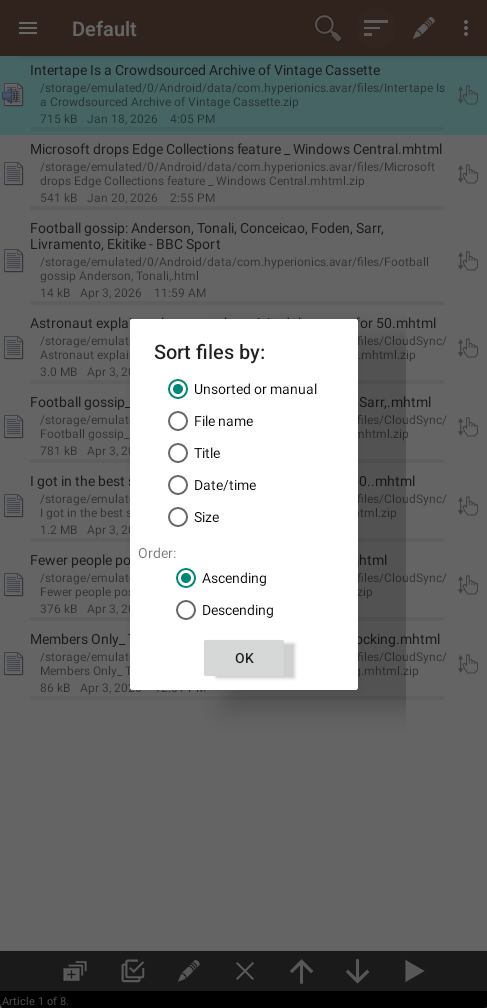
Example @Voice Aloud Reader screen for Save Articles and Listen Later.Click the screenshot to enlarge it.
Common questions about Save Articles and Listen Later
Can @Voice auto-advance through the list? Yes. It can continue from one item to the next, which is one of the core reasons it works well for listen-later use.
Can I keep separate reading lists for work and personal items? Yes. Multiple lists are useful when you want different listening queues for different contexts.
Will saved articles stay available after I close the browser? Yes. The point of the workflow is to move the article out of an open-tab state and into a managed reading queue.
Can @Voice continue from one saved article to the next automatically? Yes. Auto-advance is part of what makes the app practical as a listen-later tool.
Can I install it without Google Play? Yes. Use the direct APK from Hyperionics.
Install @Voice and try it now If this is the workflow you were looking for, install @Voice Aloud Reader and test it with your own content in a minute or two.
Learn more on the @Voice site