Why copied-text workflows matter more than people expect
People often have text trapped inside another app. If there is no clean export option, the workflow breaks unless the read-aloud app can accept shared or pasted text quickly.
Copy, Paste, Share
A lot of practical read-aloud use on Android is not about formal files at all. It is about email, message drafts, copied passages, app screens, or text that another app can share.
Trusted by 10M+ Google Play downloads · 4.3★ on Google Play
Use the direct APK on de-Googled, GrapheneOS, emulator, or Play-free devices. The universal APK is the safest default build.
People often have text trapped inside another app. If there is no clean export option, the workflow breaks unless the read-aloud app can accept shared or pasted text quickly.
@Voice supports Share, copy and paste, and clipboard-friendly workflows so text can move from another app into speech with very little setup.
A lot of the best @Voice use happens with text that never becomes a file at all. It is just something you need to hear right now or save for later.
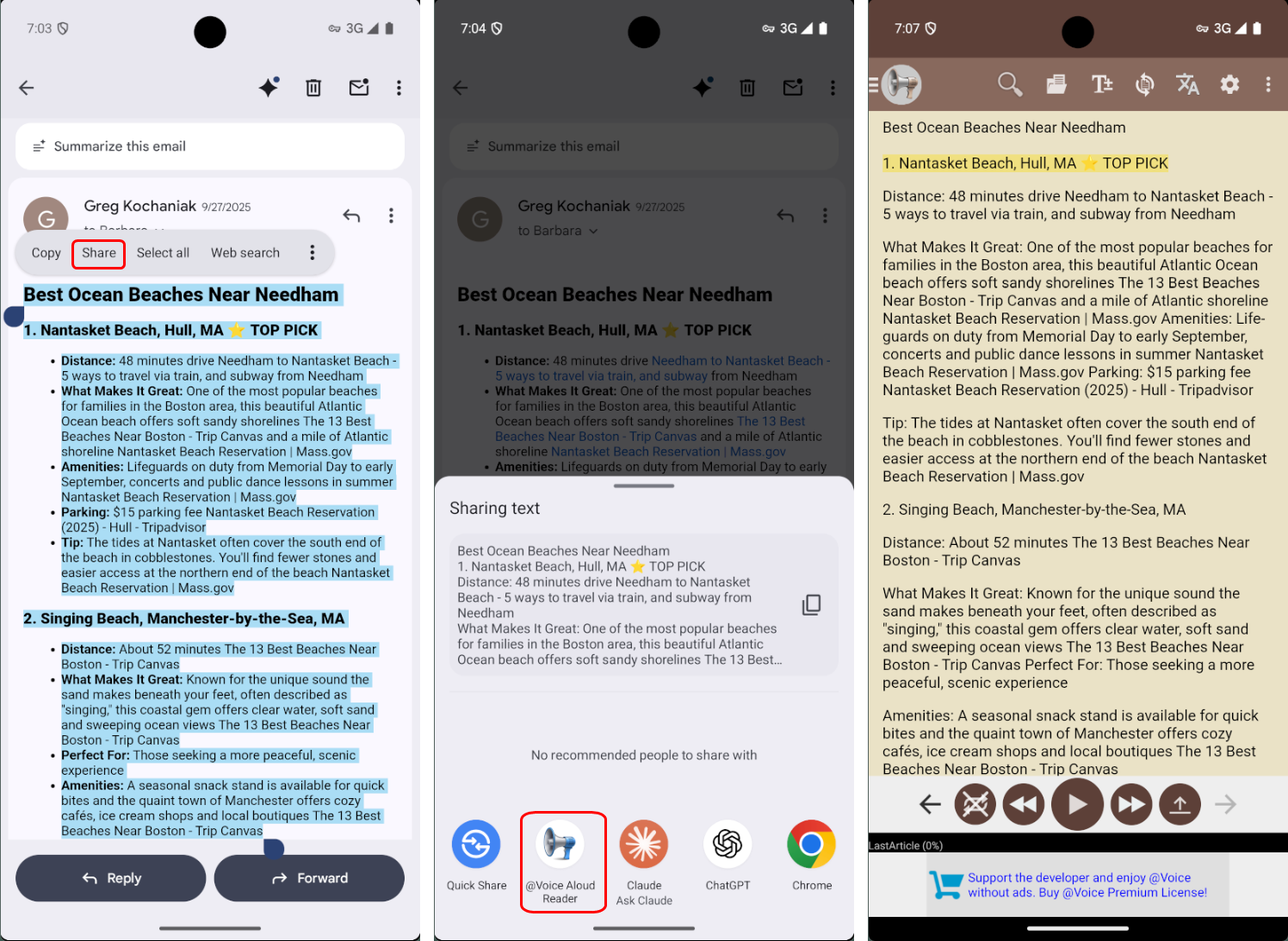
No. Standard Android Share often works, and if Share is missing, copy and paste is still a practical path.
Yes, if the source app exposes Android sharing. That is one of the quickest ways into @Voice.
Copy and paste still works, which covers many cases where the Share menu is missing.
Yes. @Voice can fit pasted or shared text into the same broader reading-list workflow.
Yes. Use the direct APK from Hyperionics.
If this is the workflow you were looking for, install @Voice Aloud Reader and test it with your own content in a minute or two.